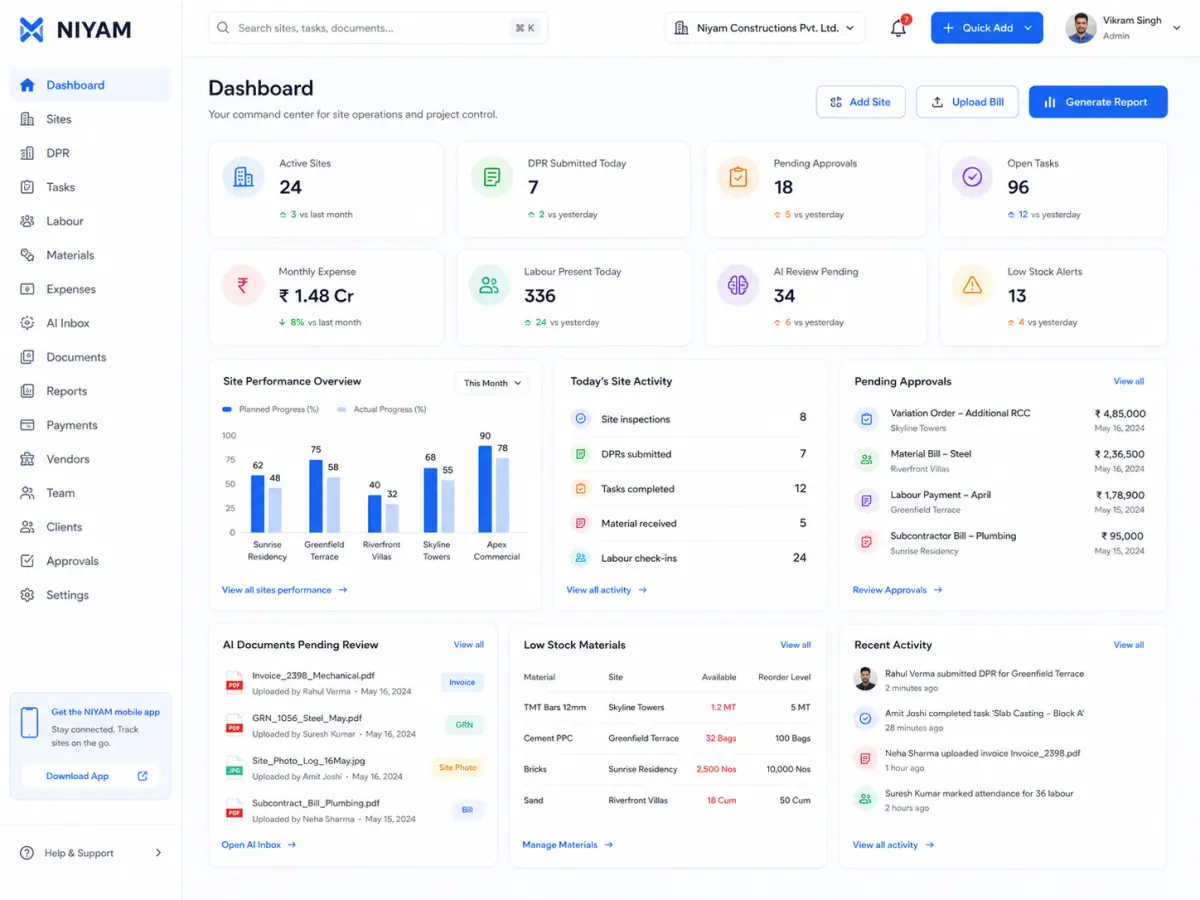
Choose the operating model your team will actually use.
NIYAM, construction ERP, workforce apps and configurable project tools can overlap on feature names while asking teams to work very differently. Start with the daily record, review responsibility and rollout your business needs.
Curated web and mobile reference screens. Native Expo behavior is qualified separately.
How this comparison works
Fit guidance, not a winner board.
Competitor descriptions come from each vendor's official public construction page reviewed on 14 August 2026. They are not independent hands-on test results, and product details may change. NIYAM's side is limited to the current product-truth inventory.
Compare the operating starting point
Separate built-in workflows from configurable ones
Name where NIYAM deliberately stays smaller
Do not copy vendor outcome claims
Link to the official source
Confirm current commercial terms with each vendor
Four common alternatives
Different products are simpler for different jobs.
Use these profiles to narrow the shortlist before comparing demos, current pricing, permissions, data handling and contract terms.
Construction ERP
NIYAM or Onsite?
Onsite's published focus
A construction ERP spanning project controls, procurement, labour, cost, subcontractors and financial management.
Choose NIYAM when
You want an owner-first start around one site, Today/DPR, simple attendance, material requests, expenses and controlled client updates without adopting full procurement or accounting ERP.
Choose Onsite when
Your immediate requirement is broader ERP depth such as RFQ–PO–GRN, payroll, project P&L, subcontractor work orders or accounting integrations.
Mobile and desktop construction management for project progress, DPRs, labour, materials, issues, reports and petty cash.
Choose NIYAM when
You want the daily site record connected to explicit approval, Finance Inbox, protected client reporting and role-specific calm home views, while keeping payroll, GPS and biometric attendance out of scope.
Choose Powerplay when
Your preferred construction workflow centres on Powerplay's documented labour payroll, GPS or biometric time tracking, material PO/GRN and its existing app ecosystem.
Crew scheduling, GPS time tracking, timesheets, job communication, forms, safety checks, training and workforce administration.
Choose NIYAM when
Your main record is the construction site itself—progress, DPR, material movement, expenses, approvals, project reports and client visibility—not a shift and time-clock system.
Choose Connecteam when
Scheduling crews, geofenced clock-in, payroll-ready hours, training and frontline communication are more important than construction material, finance and client-report workflows.
Highly configurable tasks, custom fields, forms, documents, dashboards and multiple planning views including List, Calendar and Gantt.
Choose NIYAM when
You prefer predefined construction records and role paths that a small team can adopt with less workflow design: Today/DPR, attendance roster, stock lifecycle, Finance Inbox and client-safe reporting.
Choose ClickUp when
Your team wants to design its own cross-industry workflows and values deep task configuration, Gantt planning, Docs, Whiteboards and a broad integration catalog.
Compare what the same feature label means in practice.
Documented means the reviewed vendor page describes the capability. It does not mean NIYAM independently tested its depth, limits or availability on every plan.
Daily site record
NIYAM
Connected Today → DPR workflow
Onsite
Construction DPR documented
Powerplay
Daily log and DPR documented
Connecteam
Job reports and forms documented
ClickUp
Configurable tasks, forms and templates
Attendance starting point
NIYAM
Present, Absent and Half day roster; no GPS or payroll
Onsite
GPS attendance and payroll documented
Powerplay
Attendance and labour payroll documented
Connecteam
GPS time clock, timesheets and scheduling
ClickUp
Time tracking; not positioned as a construction roster
Material control
NIYAM
Request → approval → received → used
Onsite
ERP procurement, RFQ/PO/GRN and inventory
Powerplay
Requests, stock, PO and GRN documented
Connecteam
Not a construction-stock focus on the reviewed page
ClickUp
Can be configured with fields and formulas
Money workflow
NIYAM
Expenses, approvals and payment records; not accounting
Onsite
Project P&L, billing and accounting integrations
Powerplay
Petty cash and expense tracking
Connecteam
Timesheet and payroll exports; not a site-expense focus
ClickUp
Custom estimates and formulas; not construction accounting
Client visibility
NIYAM
Explicitly shared Project, Reports and Messages plus protected report links
Onsite
Client portal documented as an option
Powerplay
Customer collaboration and shareable project information documented
Connecteam
Supported job-record sharing with contractors or management
ClickUp
Guests, public sharing and granular viewing permissions
Planning depth
NIYAM
Site milestones and tasks; not a CPM or Gantt suite
Onsite
Construction planning and project controls
Powerplay
Project/work management and scheduling
Connecteam
Crew and job scheduling
ClickUp
Multiple views including List, Calendar and Gantt
What NIYAM connects today
A calm path from the site day to the owner and client.
One-site first-run and role Home
Today, DPR, tasks, issues and evidence
App users, site workers and daily attendance
Material requests, approvals, receipts, usage and stock
Expense capture, decisions and payment records
Reviewed reports, protected sharing and client-safe views
Make the shortlist real
Test one complete day—not a long feature checklist.
Create a site, assign the team, record progress and attendance, request a material, capture an expense and share one approved report. The product that keeps that handoff clearest is the better starting point for your team.
NIYAM is not affiliated with Onsite, Powerplay, Connecteam or ClickUp. Product names are used only to identify the compared services. All trademarks belong to their respective owners. Verify current features, prices, plan availability and terms directly with each vendor before purchasing.