
Site management
Keep daily work, teams, materials, bills, approvals and project records connected for each construction site.
- Compact site setup
- Site status and progress
- Milestone summary
Set up sites, run today’s work, manage people and materials, keep money clear and share approved progress from one workspace.
Start with the essentials. Open more control only when the team needs it.
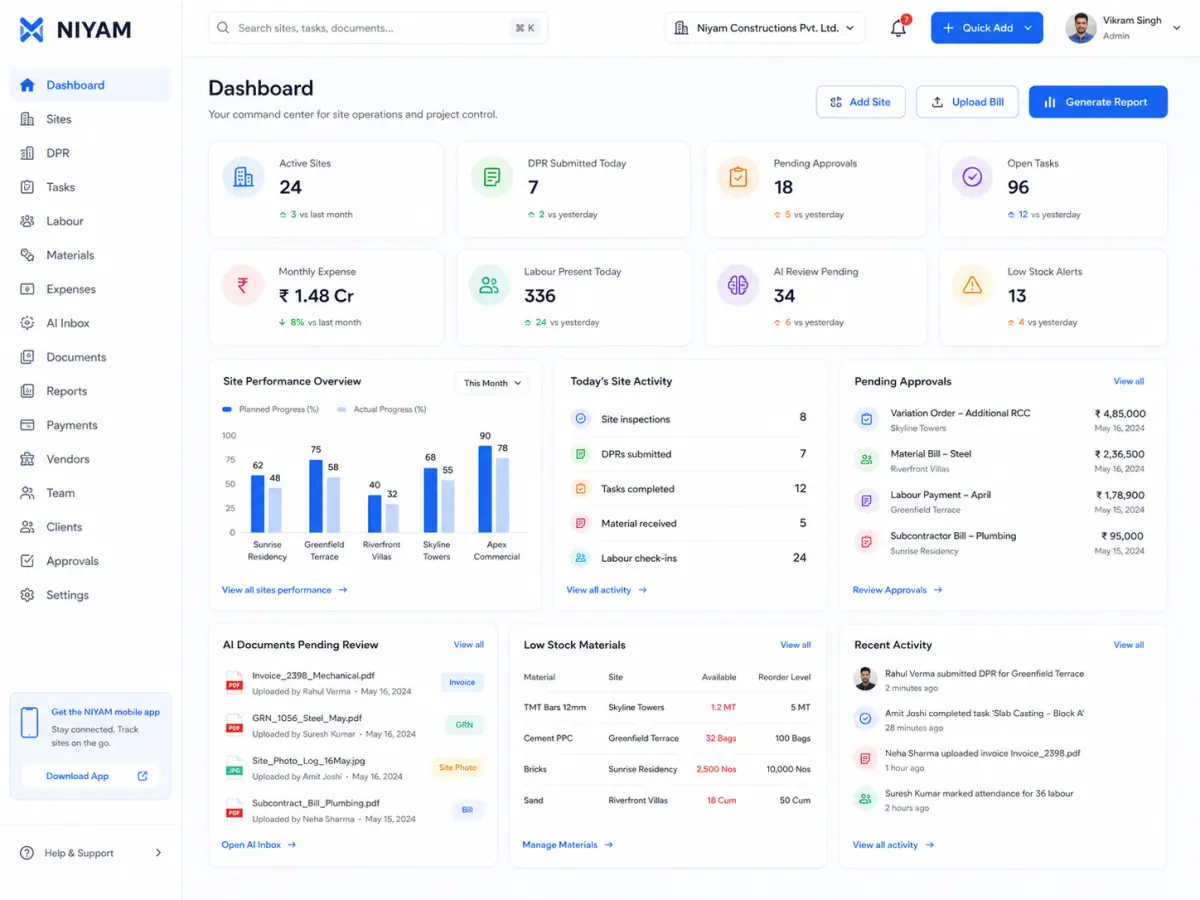
Each person sees a focused next action while the same site record moves from field capture to an owner decision or client update.
Every guide explains a current manual-first workflow, its evidence and the responsible next person.
Keep daily work, teams, materials, bills, approvals and project records connected for each construction site.
Maintain site plans, milestones and status changes alongside the field records used to review progress.
Record work completed, site notes, photos, labour and material context, then review and use the DPR in project reporting.
Assign, track and review project tasks with site context, ownership, status and supported comments.
Record and review labour attendance by site while keeping worker and deployment context available to authorised teams.
Maintain worker records and review supported worker details alongside attendance and site assignment workflows.
Record material receipts, usage and transfers and review remaining stock and item history by site.
Capture site expenses with supporting records and keep project, vendor and approval context available for review.
Maintain vendor records and connect supported payment activity with site, expense and approval context.
Review supported site, expense, material, payment and report records through role-aware approval views and history.
Build internal project reports from reviewed progress, resource, cost and issue records available in NIYAM.
Prepare and share selected project progress, photos, reports and comments without exposing internal workflows.
NIYAM’s supported capabilities are organised around the work your teams perform. Dedicated pages are published only when their content and proof are complete.
Begin with the minimum site, plan and responsibility information.
Keep daily records and follow-up connected to the site.
Keep the right people record in the right workflow.
Keep the lightweight lifecycle clear without procurement ERP.
Use one Finance Inbox over canonical records.
Keep internal reports and client-safe access distinct.
These controls support the daily workflow without becoming another layer of setup. Each guide states what the current product proves and where the boundary remains.
Keep site photos, project documents and supporting records connected to the site workflows they explain.
Keep optional AI-assisted document results separate from approved records so authorised people can review the source, status and next action.
Control supported internal, site and client access through canonical workspace roles, permissions and server enforcement.
Understand NIYAM’s bounded offline replay, visible sync states and permission-scoped project notifications.
The mobile guide explains the supported field workflow, current small-screen proof and the exact boundary of offline replay without presenting responsive web as native Expo evidence.
Complete supported daily progress, tasks, attendance, materials, expenses and evidence from focused NIYAM mobile workflows.
NIYAM supports the handoff from site capture to office review and client communication while keeping role and access boundaries visible.
Sites, attention, money and client commitments without chasing every update.
Current site work, exceptions, decisions and reporting in context.
Short field actions for today’s work, people and materials.
Expenses, evidence, approvals, vendors and supported payments.
Only explicitly shared Project, Reports and Messages information.
Your team can capture, review and approve every supported record manually. Where configured, AI may prepare fields or surface signals for an authorised person to check.
AI is not part of the required operating sequence. It may prepare supported information for review while the complete manual path remains available.
Prepare supported bill fields and duplicate-review signals so an authorised person can check the record before approval.
Read the optional guideStraight answers about scope, review and responsibility.
Twelve core guides cover the daily operating path. Four control guides explain photos and documents, AI Inbox review, roles and permissions, and bounded sync and notifications. One mobile field guide explains the connected small-screen workflow. AI bill review remains separate as optional assistance.
Construction is a primary use case, but NIYAM is designed for project-based businesses with field teams, supervision, repeatable site records and a client or stakeholder who needs accountable updates.
No. AI assists supported predictable tasks such as preparing bill fields and surfacing review signals. Authorised people remain responsible for correction, approval and operational decisions.
NIYAM’s operating model connects focused field capture with authorised web review, approvals and reporting so the record can move without being rebuilt for each team.