
Project, Reports and Messages
Keep the client experience focused on intended project communication.
Share supported Project, Reports and Messages information with assigned clients while keeping workforce, vendors, approvals and administration outside their view.
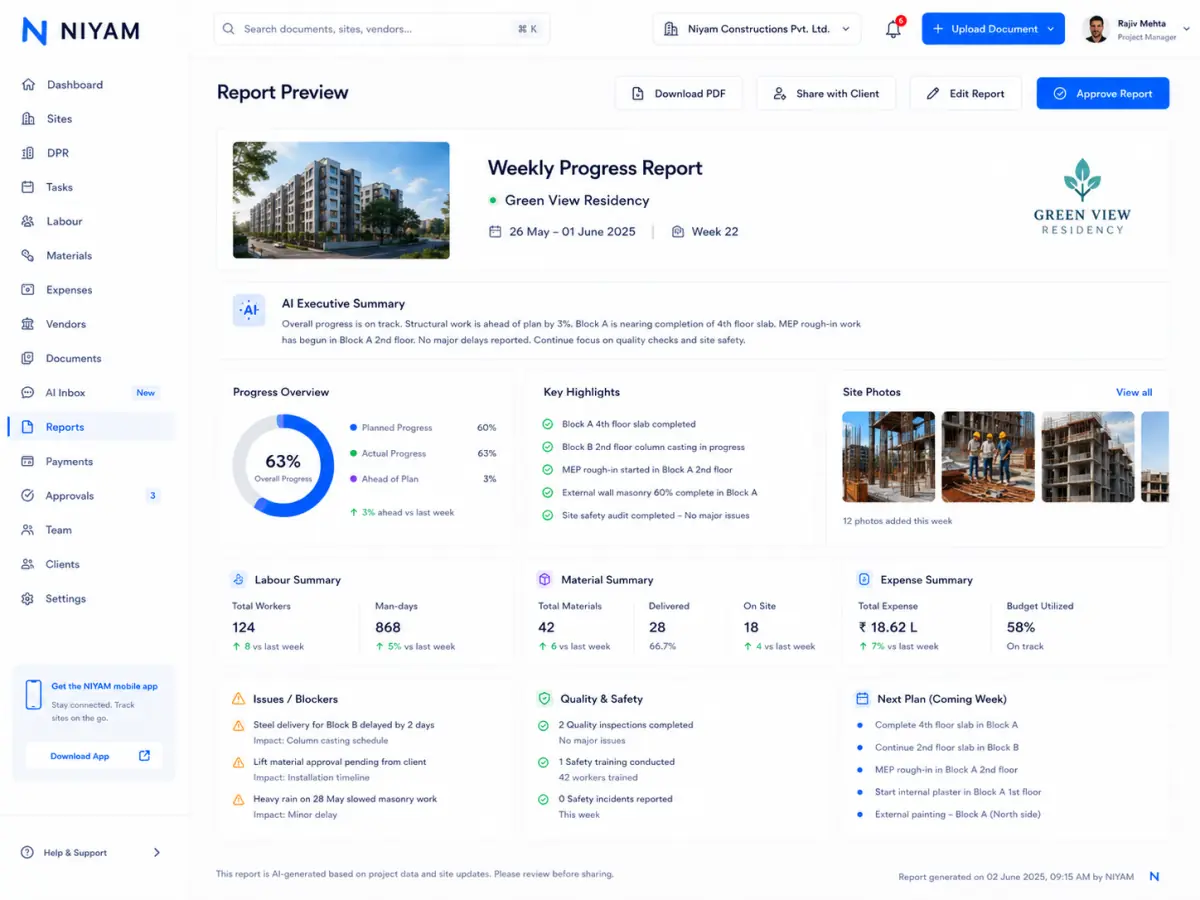
Teams need a clear way to share selected progress and collect comments without giving a client the same navigation or permissions as internal staff.
Each step keeps the record, its context and the next responsibility visible.
Choose and preview the supported information intended for sharing.
Move the report through the current permission-controlled decision.
Create the supported public, PIN, password or assigned-client access.
Keep supported comments, messages and change requests actionable.
Focused capabilities for the complete workflow, described within their supported operating boundaries.
Keep the client experience focused on intended project communication.
Use the existing token-scoped read-only sharing contract.
Retain supported messages, comments and change requests.
Keep internal controls outside the client navigation and server scope.
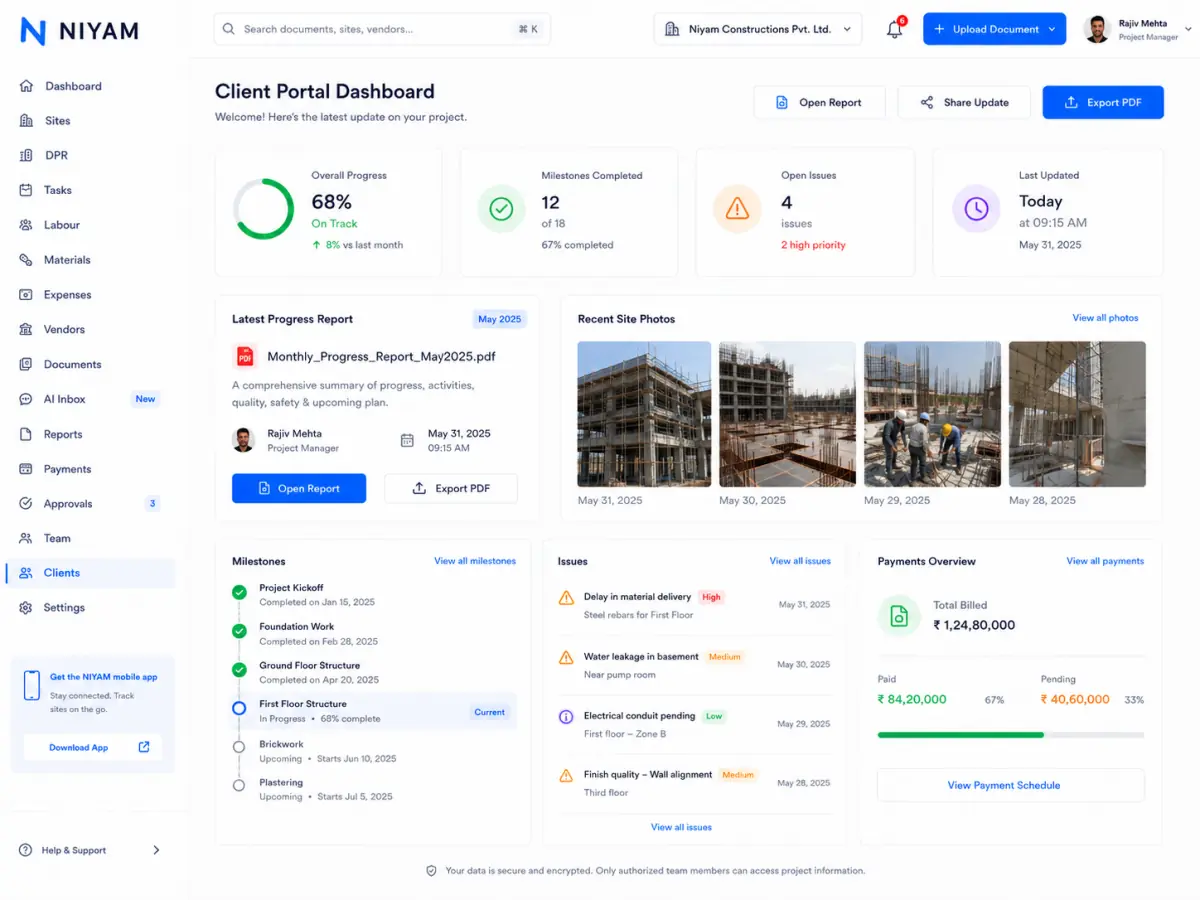
Approved evidence shows report sharing and the client-safe Project, Reports and Messages view without internal finance or workforce navigation.
The feature supports the handoff without blurring who records, reviews or receives the information.
Prepare and respond to the supported client update.
Control what is approved and shared externally.
Review intended project information and communicate without internal access.
Internal expenses, vendors, margins, approvals, workforce and administration remain unavailable unless selected summary information is deliberately included in a supported report.
Straight answers about scope, review and responsibility.
Assigned clients see the supported Project, Reports and Messages experience and only explicitly shared information.
No. Current public links are token-scoped and read-only.
Supported shares can be resent, reviewed through access history and revoked through the existing contract.