
Compact site setup
Begin with the minimum required fields and preserve optional detail for later.
Keep site identity, progress, milestones, responsible people and today’s attention in one calm Site Home, with operational workflows available in context.

Progress, people, tasks, materials, expenses and evidence often arrive through separate registers and messages. Owners lose the site context before they can decide what matters.
Each step keeps the record, its context and the next responsibility visible.
Save basic site details as a draft. Confirm milestones and the site lead to start daily work; mark the current stage if work has begun.
Assign the supported team, client and milestone context.
See progress, attention, milestones and people before deeper records.
Open Today, tasks, materials, money, reports or evidence in context.
Focused capabilities for the complete workflow, described within their supported operating boundaries.
Begin with the minimum required fields and preserve optional detail for later.
Keep the supported site state and progress context visible together.
Review persisted milestone context without creating another planning engine.
Reach tasks, attendance, materials, money, reports, photos and documents from the site.
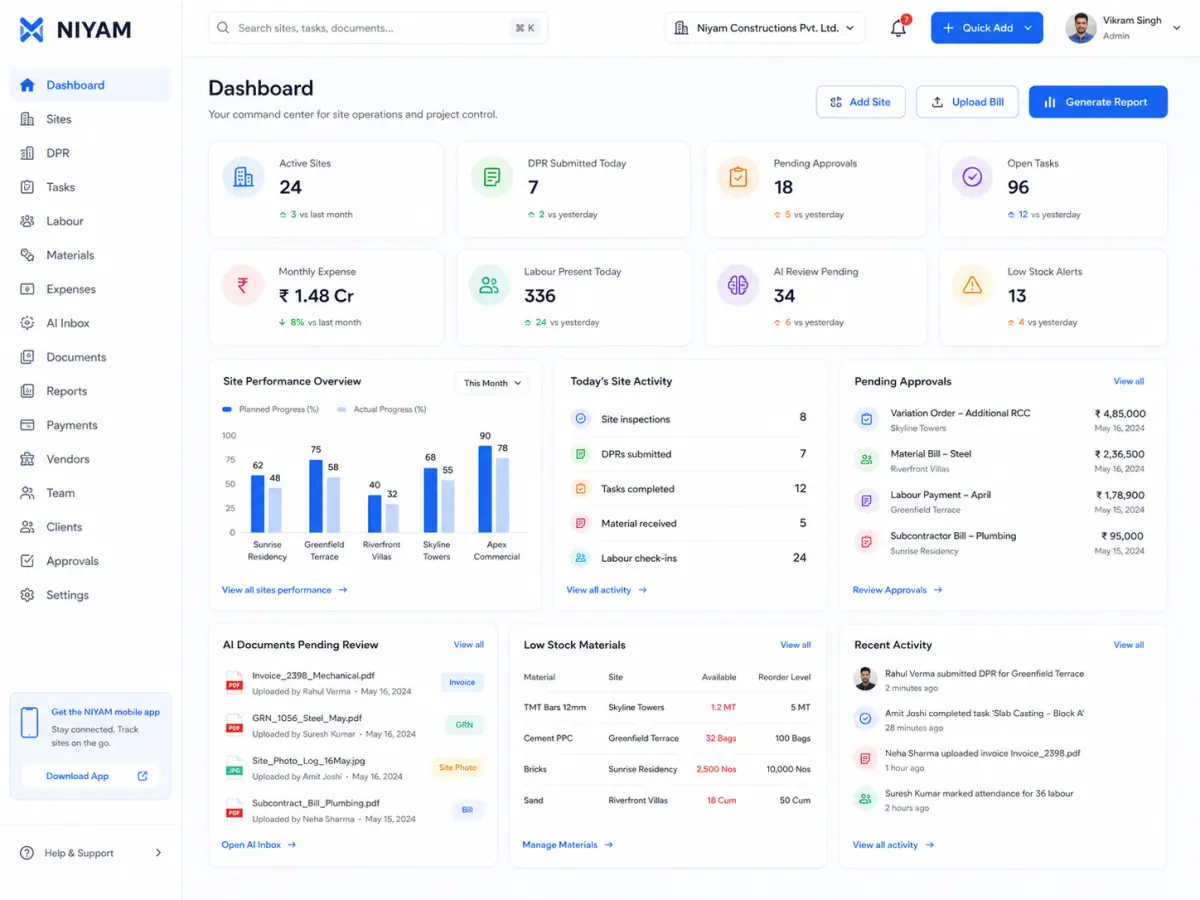

The current product surface shows one role-specific action, today’s attention, progress, milestones and people before secondary links.
The feature supports the handoff without blurring who records, reviews or receives the information.
See the site state and next business attention without chasing every update.
Review milestones, people and operational records in one site context.
Open the frequent field action without navigating a large back-office menu.
NIYAM organises the supported site record and workflows. Planning judgement, physical verification and project decisions remain with authorised people.
Straight answers about scope, review and responsibility.
The Starter path requires the site name and location first. Supported code, dates, budget, client and planning detail can be added later.
No. It is a focused operating summary with contextual links to the canonical tasks, attendance, materials, finance, reporting and evidence workflows.
NIYAM supports persisted site and milestone context; it is not presented as full critical-path scheduling, BIM or estimating software.