
Site and period scope
Choose the report context deliberately.
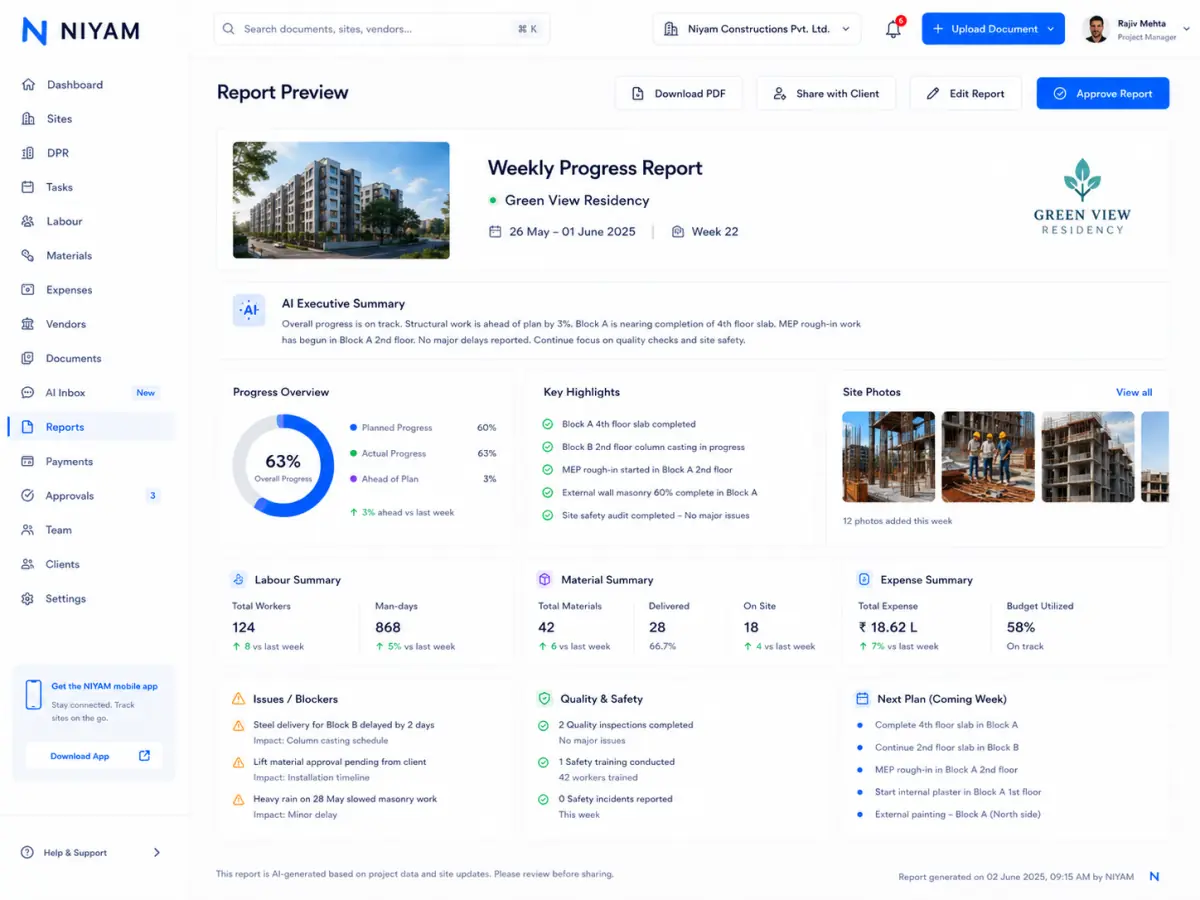
Choose the site and period, preview supported progress, photos, milestones and finance summary, then approve or share the report when permitted.
Teams repeat the same collection work because daily records, milestones, evidence and supported finance summary are not ready in one reporting path.
Each step keeps the record, its context and the next responsibility visible.
Select the site, reporting period and supported content.
Use the complete manual report path; assisted copy remains optional.
Review progress, evidence, milestones and supported finance summary.
Use the current permission and protected-sharing controls.
Focused capabilities for the complete workflow, described within their supported operating boundaries.
Choose the report context deliberately.
Bring reviewed progress, evidence, milestones and finance context together.
Inspect the generated output before approval or sharing.
Use current public, PIN or password-protected read-only links.

The approved current evidence shows a real approved report preview beside the protected sharing controls.
The feature supports the handoff without blurring who records, reviews or receives the information.
Build and review the supported site-period report.
Approve or share the permitted output.
Receive only the intended read-only project information.
NIYAM does not invent unavailable project facts or publish a report autonomously. An authorised person reviews supported content and sharing scope.
Straight answers about scope, review and responsibility.
Yes. The complete manual report path supports scope, preview, approval and sharing.
Supported reports may include selected progress, photos, milestones and finance summary for the chosen site and period.
The current sharing contract supports public, PIN- or password-protected read-only access.