
Site photo gallery
Upload and review supported photos against the canonical site.
Upload private site photos and supported documents, then use them in the site, task, expense, DPR and report workflows where authorised people need their context.
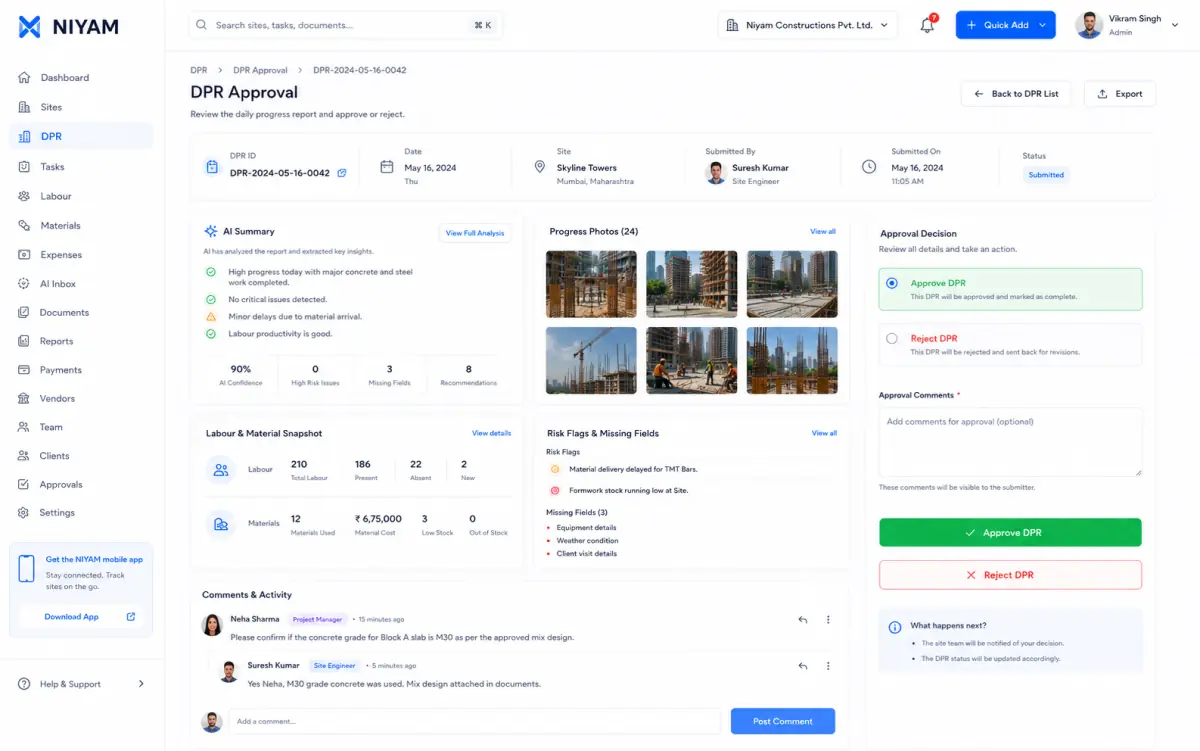
Site evidence often arrives through personal galleries and message threads. The file survives, but its project, date, uploader and operational meaning become difficult to review.
Each step keeps the record, its context and the next responsibility visible.
Start from the supported site or operational record that the evidence explains.
Add the supported photo or document through the canonical private-media workflow.
Keep uploader, date and linked project context available to authorised people.
Review it beside the task, expense, DPR or selected report where supported.
Focused capabilities for the complete workflow, described within their supported operating boundaries.
Upload and review supported photos against the canonical site.
Keep supported documents behind authenticated, authorised access.
Attach evidence in supported task, expense, DPR and report contexts.
Use the existing signed-file access path instead of public media URLs.
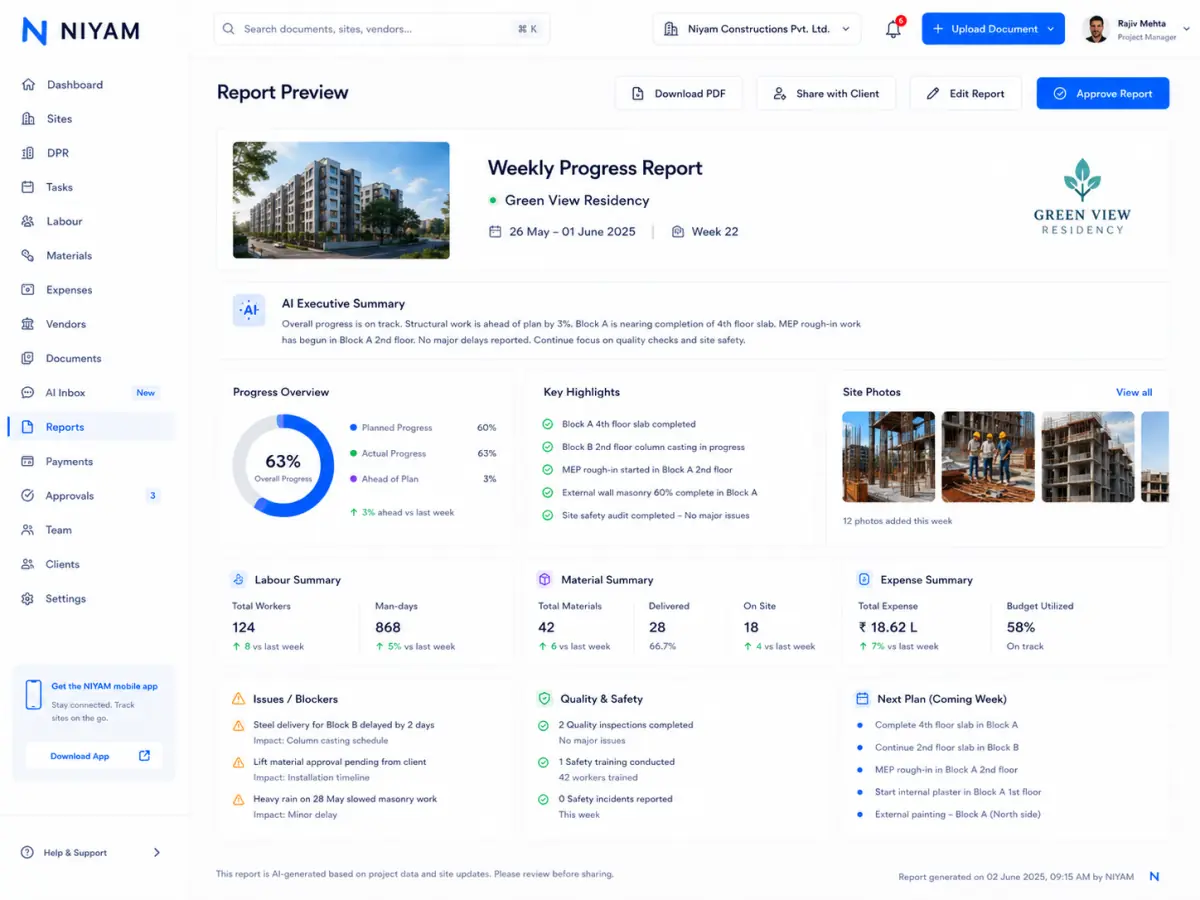

Approved evidence shows the Today photo action and report preview. The underlying private document and site-photo surfaces are repository-evidenced, but no unsupported storage or document-control claim is added.
The feature supports the handoff without blurring who records, reviews or receives the information.
Capture supported site evidence close to the work it records.
Review evidence with the operational record and decide what belongs in a report.
See only the photos or document context deliberately included in a supported shared view.
Authorised people remain responsible for verifying physical progress, file relevance and the information selected for external sharing.
Straight answers about scope, review and responsibility.
Supported files can appear in site, task, expense, DPR and report workflows according to the current contract and the user’s permissions.
No. Project media uses the current private-storage and authorised signed-access path unless an authorised user deliberately shares selected report content.
No. NIYAM supports project documents and evidence in operational workflows; it is not presented as a complete drawing, transmittal or revision-control system.