
Material requests
Keep site, quantity and needed-by context together.
Request what a site needs, route it for a decision, receive approved quantity and record usage or transfer against canonical stock.
Requests, approvals, receipts and site usage are difficult to reconcile when each step lives in a different message or register.
Each step keeps the record, its context and the next responsibility visible.
Choose the site, material, quantity, needed-by date and optional evidence.
Move the request through waiting approval, approved or rejected state.
Put approved received quantity into the existing stock transaction.
Record supported movement and review the resulting balance.
Focused capabilities for the complete workflow, described within their supported operating boundaries.
Keep site, quantity and needed-by context together.
Use the canonical Approvals centre for the supported decision.
Record supported stock-changing transactions with validation.
Surface recorded low stock for responsible follow-up.


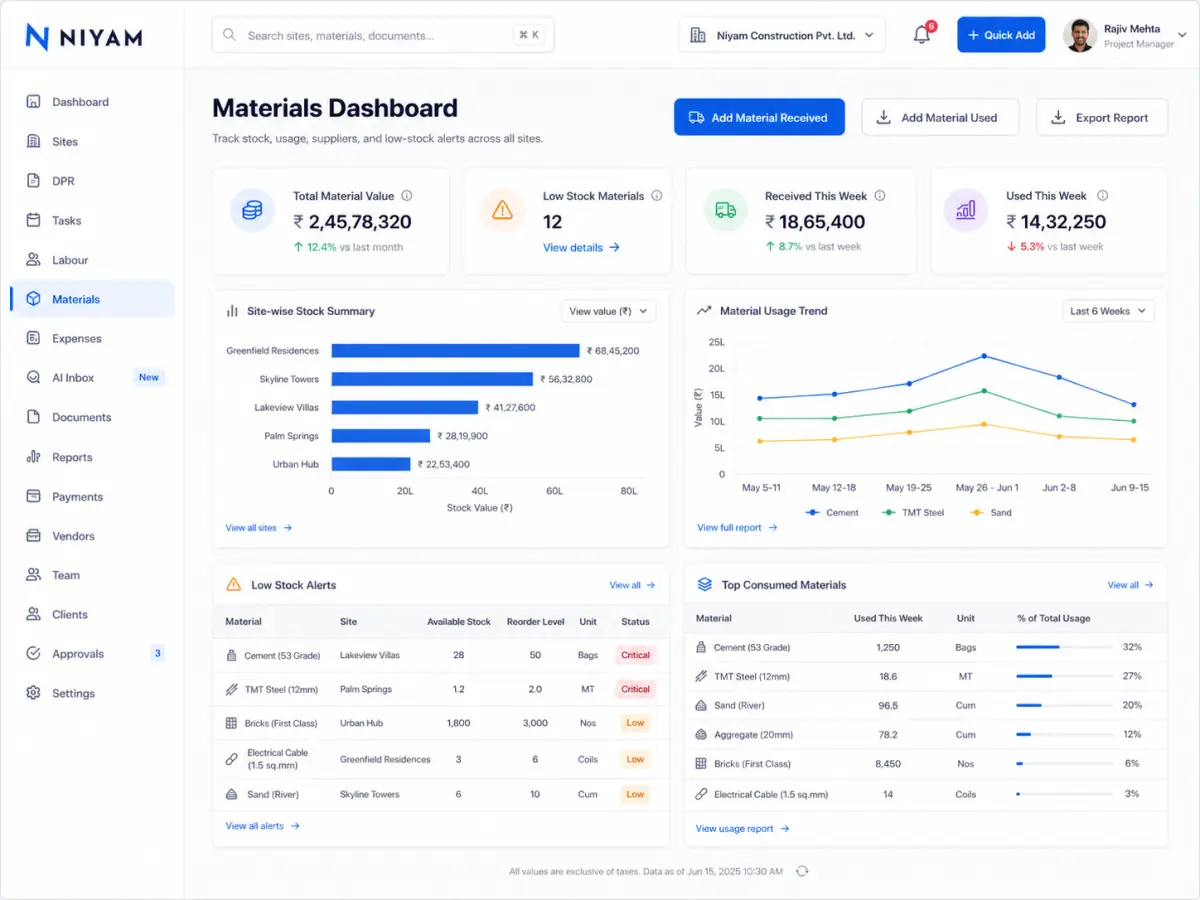
Current evidence shows the operational Materials surface and its pending material decision in the Approvals centre.
The feature supports the handoff without blurring who records, reviews or receives the information.
Request, receive or use material in the site context.
Review and decide supported requests.
See attention and recorded stock movement without procurement ERP complexity.
RFQs, vendor comparisons, full purchase orders, GRNs and automatic purchasing remain outside this feature.
Straight answers about scope, review and responsibility.
Request, Waiting for approval, Approved or Rejected, Received and Used are the lightweight supported states.
No. Approved quantity flows into the existing received transaction when it is actually received.
No. Full procurement documents and vendor comparison are outside the Starter Materials scope.