
Clients and consultants
Only the approved view.
Keep external visibility selected, useful and attached to reviewed records.
Selected access
Use supported client views and reports for selected reviewed progress, photos and comments while contractor administration and unrelated records remain separate.
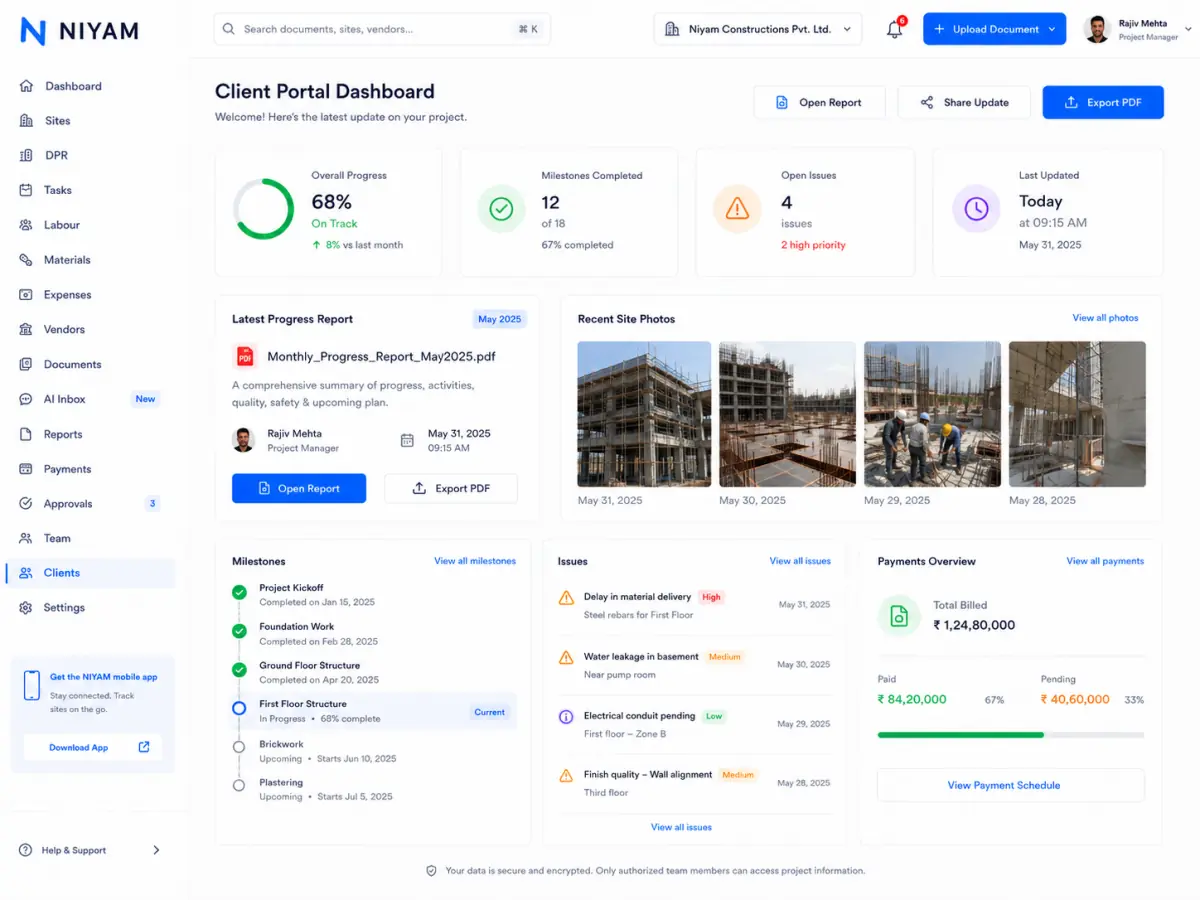
Keep external visibility selected, useful and attached to reviewed records.
Selected accessThree clear moments keep the role useful without turning the page into another feature list.
Comment on the relevant record or report context.
Return follow-up to the responsible project manager.
Keep unrelated internal work and other clients outside the shared view.
A consistent flow from field work to the next authorised action.
Internal users prepare the information intended for external use.
Reports or client views contain supported chosen information.
Clients and consultants use the intended sharing workflow.
Supported comments and responses stay with the project view.
Supported capabilities are placed in the operating context they serve—not presented as a generic checklist.
Prepare selected reviewed project information for supported reporting and controlled external access.
Explore featureKeep supported project, site, milestone and task context close to daily execution records.
Record completed work, site notes, photos and available resource context in a dated DPR.
Explore feature 04Record supported attendance states by site and date for authorised operational review.
Explore feature 05Keep supported receipts, usage, transfers and recorded stock history together by site.
Explore feature 06Prepare supported bill fields and possible duplicate signals while people retain correction and approval.
Explore featureNIYAM keeps the handoff visible while each role remains responsible for its own action.
Review internal records and choose what is appropriate to share.
Review selected progress, evidence, reports and supported comments.
Resolve follow-up without exposing unrelated internal workflows.
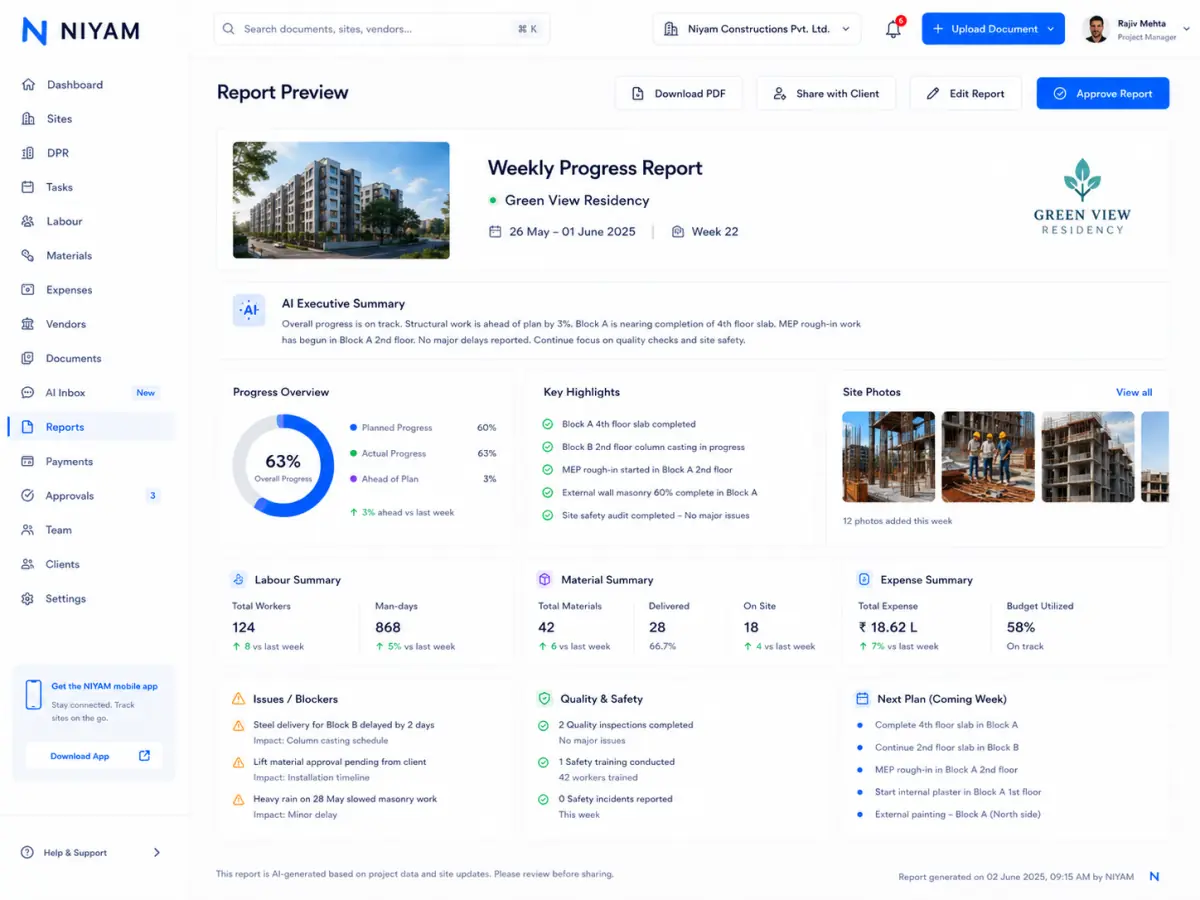
NIYAM supports controlled visibility; the responsible project team still chooses the scope, recipient and content before sharing.
Clear answers about fit, scope and human responsibility.
NIYAM organises supported project records and review signals so clients and consultants can spend less attention collecting routine status and more attention on review, comments and project acceptance.
No. NIYAM uses focused field, web, administrative and client workflows so supported access can follow the person’s responsibility.
No. AI can prepare supported routine work and surface signals. Authorised people remain responsible for corrections, approvals and consequential decisions.